Hub dei contenuti - tips and tricks
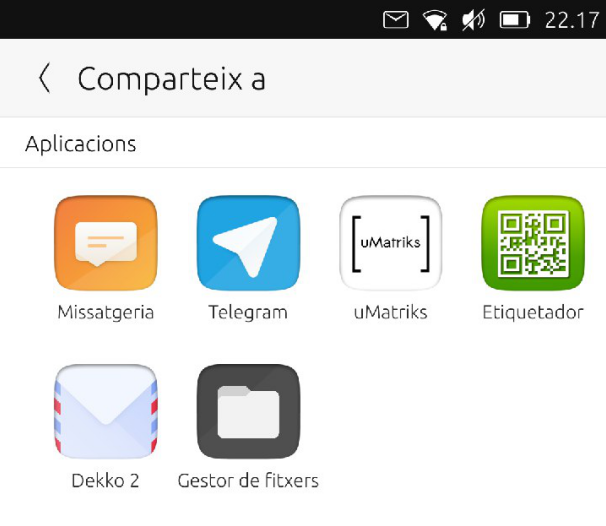
Content Hub Share Page
Su Ubuntu Touch le app sono confinate. Il modo di condividere fie tra loro è attraverso il Content Hub, una parte del sistema che si occupa di importare, esportare e condividere file.
Modi diversi di condividere il contenuto
Come possiamo vedere nella documentazionde del Content Hub, ci sono vari modi di gestire il file da condividere:
ContentHandler.Source(The selected app will provide a file to be imported)ContentHandler.Destination(L’app selezionata verrà usata come destinazione del file esportato)ContentHandler.Share(L’app selezionata sarà la destinazione per il file esportato, il quale sarà poi condiviso esternamente)
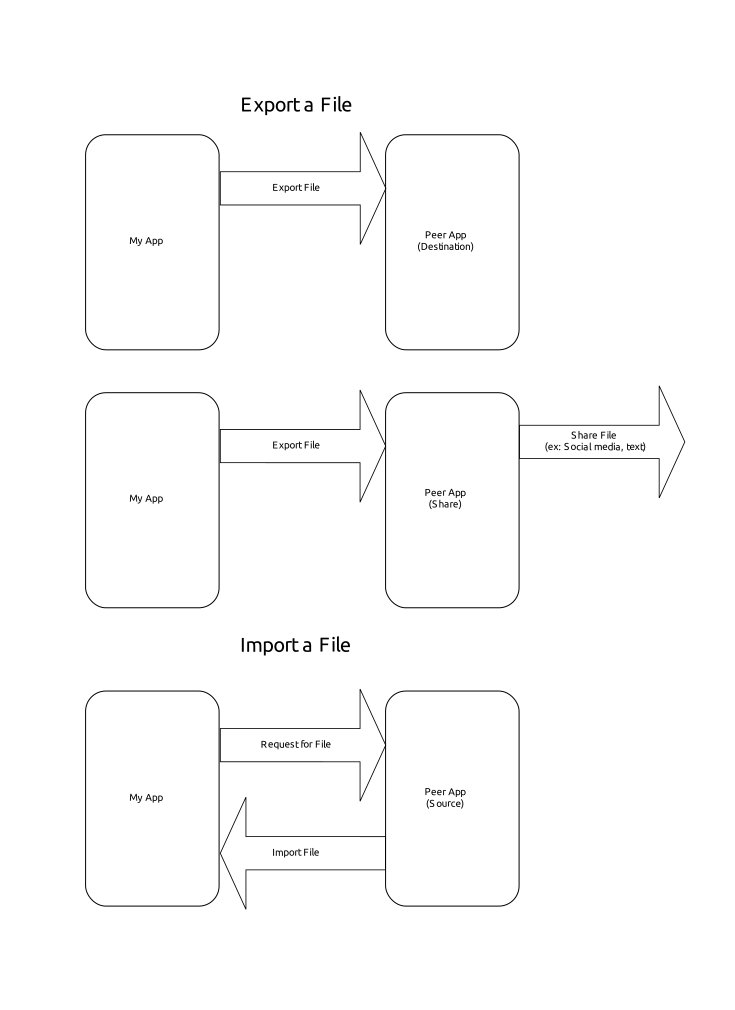
Importazione

Webapp Creator sull’OpenStore
Cercando all’interno del codice di Webapp Creator, troveremo il codice per importare un’immagine da utilizzare come icona. Cliccando sul segnaposto si aprirà l’Hub dei Contenuti, che permetterà di scegliere la posizione dalla quale importare l’immagine (vedi il codice sorgente di Webapp Creator)
ContentPeerPicker {
    anchors { fill: parent; topMargin: picker.header.height }
    visible: parent.visible
    showTitle: false
    contentType: picker.contentType //ContentType.Pictures
    handler: picker.handler //ContentHandler.Source
ContentPeerPicker è l’elemento che mostra le app.
var importPage = mainPageStack.push(Qt.resolvedUrl("ImportPage.qml"),{"contentType": ContentType.Pictures, "handler": ContentHandler.Source})
contentType is passed in Main.qml as ContentType.Pictures. So, we will only see apps from which we only can import images. handler is passed in the same line as ContentHandler.Source. As we want to import an image from the app selected in the Content Hub.
Esportazione

Gelek nell’OpenStore
In Gelek, we are going to end with some saved games that we want to save in our device or share with ourselves (in Telegram and then save them to our computer).
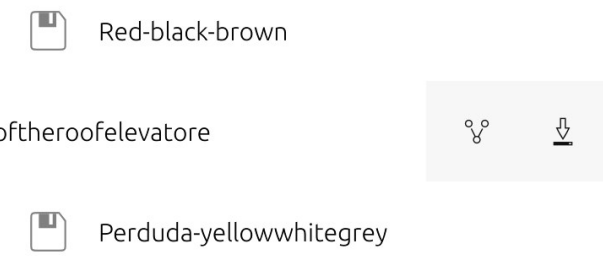
Cliccando sull’icona di download otterremo un Content Hub per salvare il file del gioco (che in pratica è un esportazione).
Il file del gioco è un file di tipo glksave. Diremo al Content Hub che stiamo inviando un file di tipo All (guardare la pagina di installazione).
ContentPeerPicker {
    anchors { fill: parent; topMargin: picker.header.height }
    visible: parent.visible
    showTitle: false
    contentType: ContentType.All
    handler: ContentHandler.Destination

    onPeerSelected: {
contentType è ContentType.All, quindi vedremo solo app capaci di ricevere file di tipo non definito. handler è ContentHandler.Destination, quindi l’app selezionata dovrebbe memorizzare il gioco salvato.
Cliccando sul File Manager salveremo il gioco nella cartella da noi scelta.
Condivisione
In maniera simile, cliccando sull’icona di condivisione potremo inviare a noi stessi tramite Telegram il gioco salvato (vedi il codice sorgente di Webapp Creator Import Page). Condividere è simile all’esportazione, con la differenza che l’app di destinazione può condividere il contenuto esternamente (per esempio, attraverso Telegram o messaggi di testo).
ContentPeerPicker {
    anchors { fill: parent; topMargin: picker.header.height }
    visible: parent.visible
    showTitle: false
    contentType: picker.contentType //ContentType.Pictures
    handler: picker.handler //ContentHandler.Source

    onPeerSelected: {
The only difference between this and the previous code is that handler is ContentHandler.Share.
Aspetta un attimo. Perche app differenti?
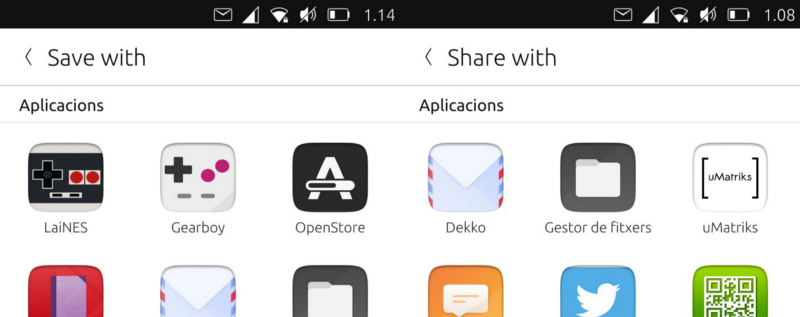
Content Hub: Export vs Share
Each developer can decide the rules each app would follow in relation to the Content Hub. Why the OpenStore is shown as the destination of an export?
Controlliamo il suo manifest.json
"hooks": {
    "openstore": {
        "apparmor": "openstore/openstore.apparmor",
        "desktop": "openstore/openstore.desktop",
        "urls": "openstore/openstore.url-dispatcher",
        "content-hub": "openstore/openstore-contenthub.json"
    }
},
The above code defines that the hooks for the app named "openstore" in relation to the "content-hub" should follow the rules defined in openstore-contenthub.json
{
    "destination": [
        "all"
    ]
}
Questo significa che l’OpenStore sarà la destinazione per tutti i ContentTypes.
A proposito di uMatriks? Vediamo il suo content-hub.json
{
    "destination": [
        "pictures",
        "documents",
        "videos",
        "contacts",
        "music"
    ],
    "share": [
        "pictures",
        "documents",
        "videos",
        "contacts",
        "music"
    ],
    "source": [
        "pictures",
        "documents",
        "videos",
        "contacts",
        "music"
    ]
}
Quindi, con questo esempio, uMatriks potrà essere l” app di destinazione, sorgente e consivisione per tutti i tipi di ContentType. Cosa approposito degli altri hooks nel manifest.json? Questo sarà discusso nella prossima guida.